
How to write retrosynthesis and spectrum questions
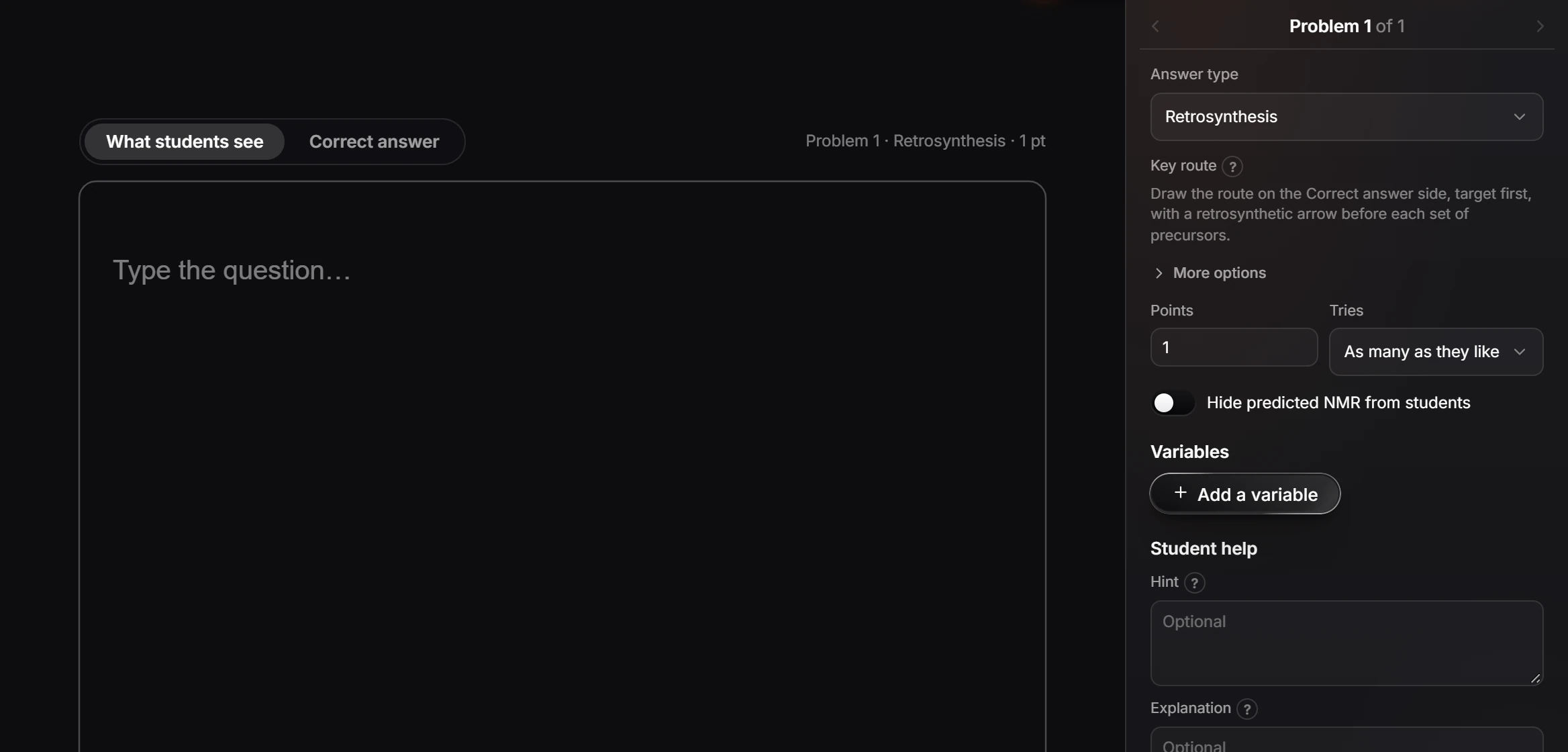
Set the problem's Answer type to Retrosynthesis and draw the key route, target first; or to Spectrum interpretation, add the spectra and the molecular formula, and draw the answer. Turn on Hide predicted NMR from students so the NMR tools cannot give it away.
Retrosynthesis
- Select the problem and set Answer type to Retrosynthesis.
- Switch the card to Correct answer and draw the key route: the target first, then a retrosynthetic arrow before each set of precursors.
- More options has further settings for how routes are accepted.
The Organic chemistry templates include ready-made retrosynthesis problems: the starting material, disconnecting an ester, a Williamson ether, a Grignard disconnection, and a ketone in two steps.
Spectrum interpretation
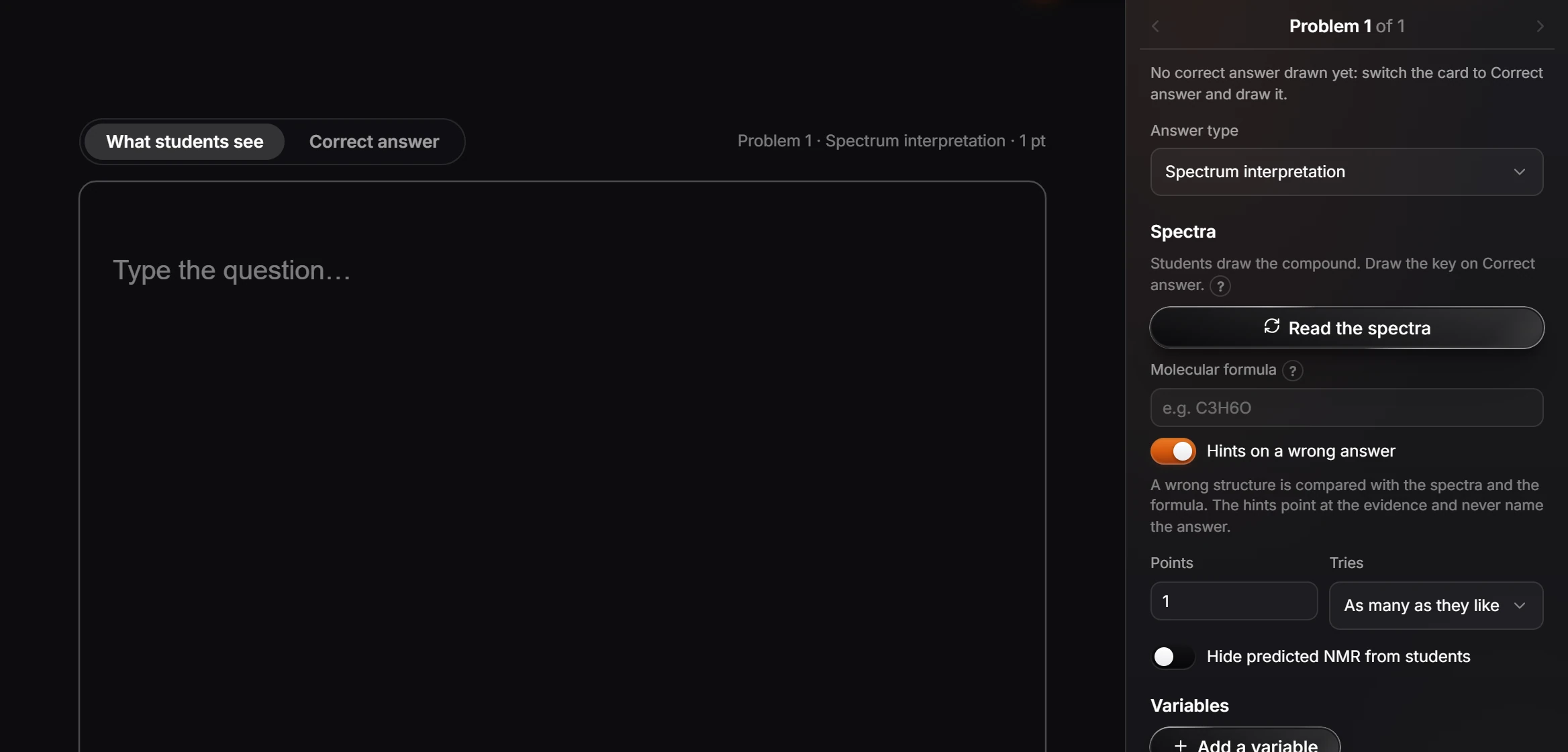
- Set Answer type to Spectrum interpretation. Students draw the compound.
- Place the spectrum students read in the card (import it), then press Read the spectra under Spectra. Give the Molecular formula if you want to. If your answer does not fit the evidence, the panel says so and names what to fix, in the peaks, the integrals or the formula.
- Switch to Correct answer and draw the compound.
- Hints on a wrong answer, on by default, compares a wrong structure with the spectra and the formula. The hints point at the evidence and never name the answer.
Keep the prediction tools out of it
Every problem has Hide predicted NMR from students. Turn it on for spectrum and structure questions, so students cannot predict the spectrum of a guess and compare.
Is this helpful?
Last updated Nov 15, 2026
- Still stuck? Read the FAQ or contact support.
- Something wrong on this page? Tell us.
- For AI tools: llms.txt